More conversations. More meetings.

Kite finds the leads, dials them and writes the follow-up. Your reps talk.

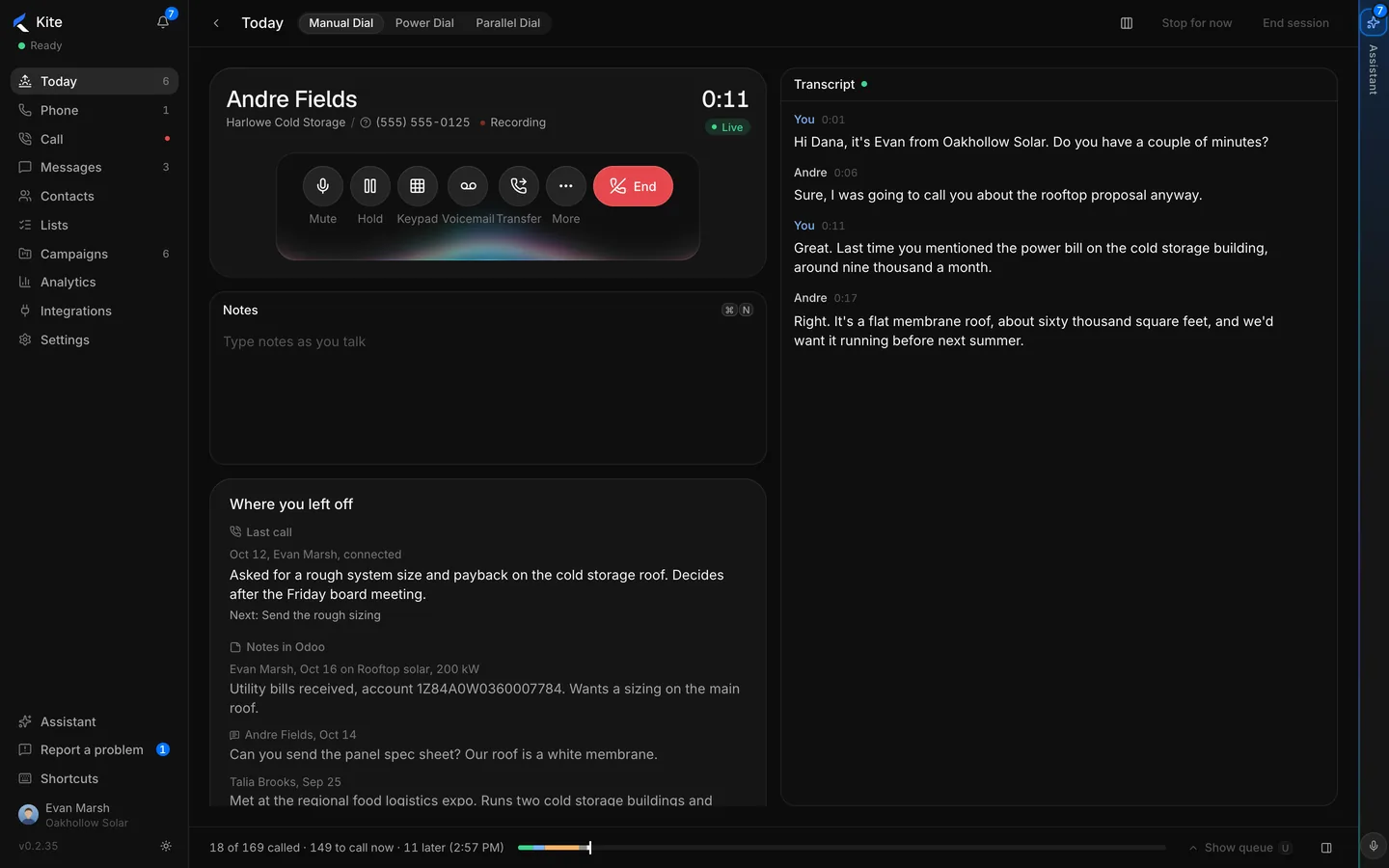
A live call in Kite with the transcript running and the notes from the last call
Andre Fields 0:11 Last call, notes and CRM history on screen

AI lead generation, from your prompt to a callable list.

Tell Kite what you sell and who buys it. In the background it searches, reads each business's own website, verifies the phone number and hands your reps a list that fits the prompt. No directory scraping, no dead lines.

  • Every lead scored High quality, Good or Fair, with the reason.
  • A quote and a source behind every lead
  • Every lead checked before it reaches a list
More conversations per hour.

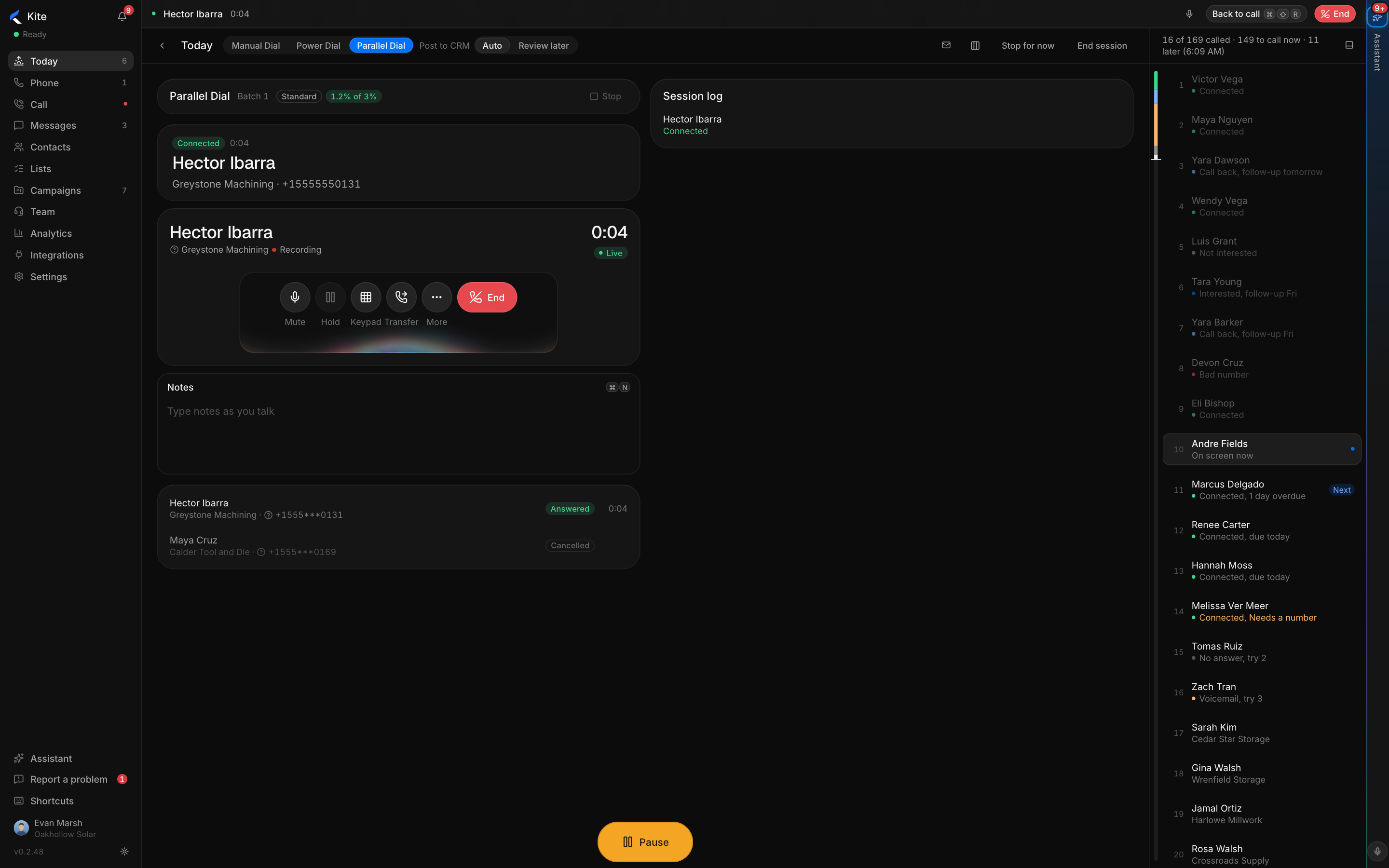
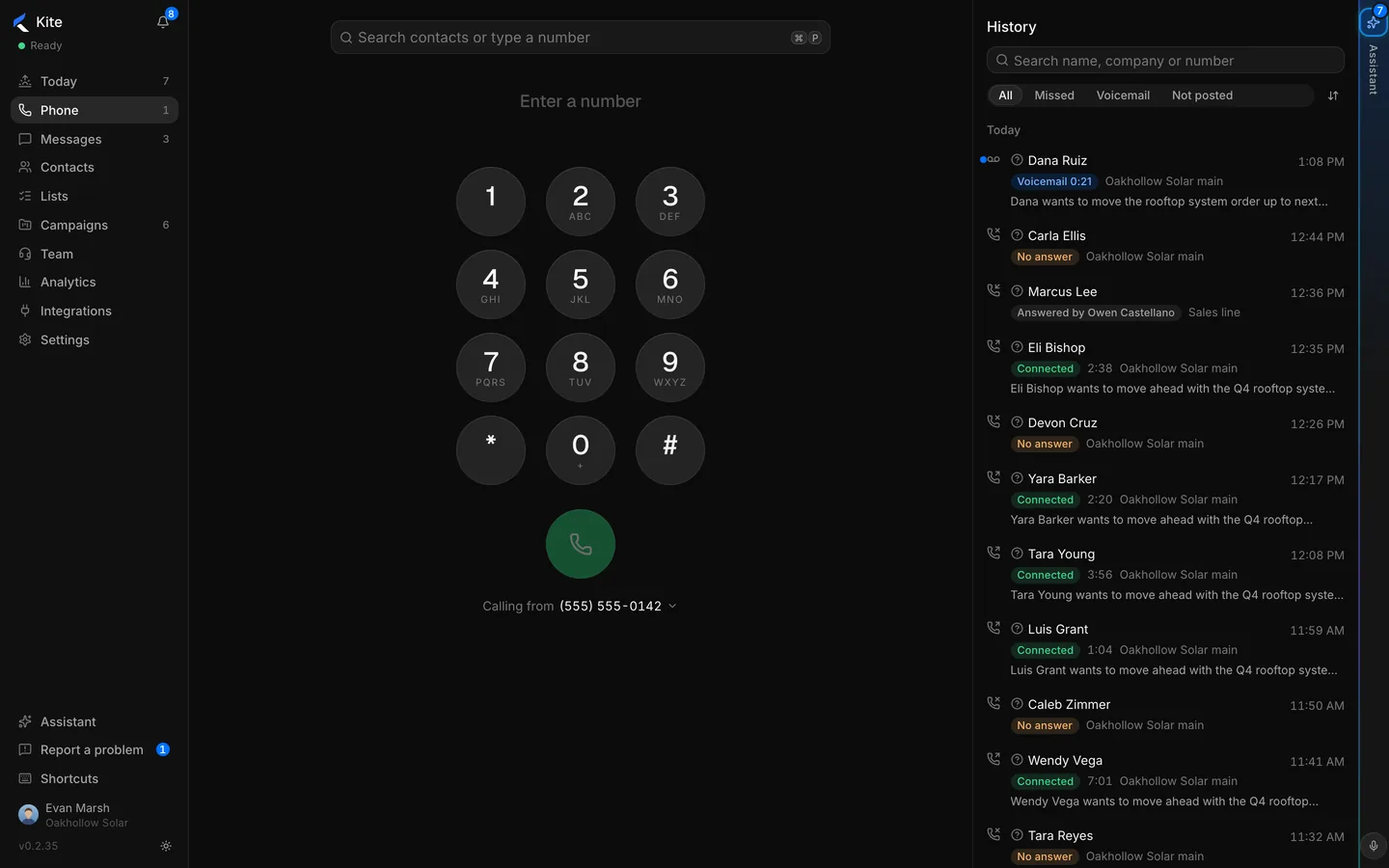
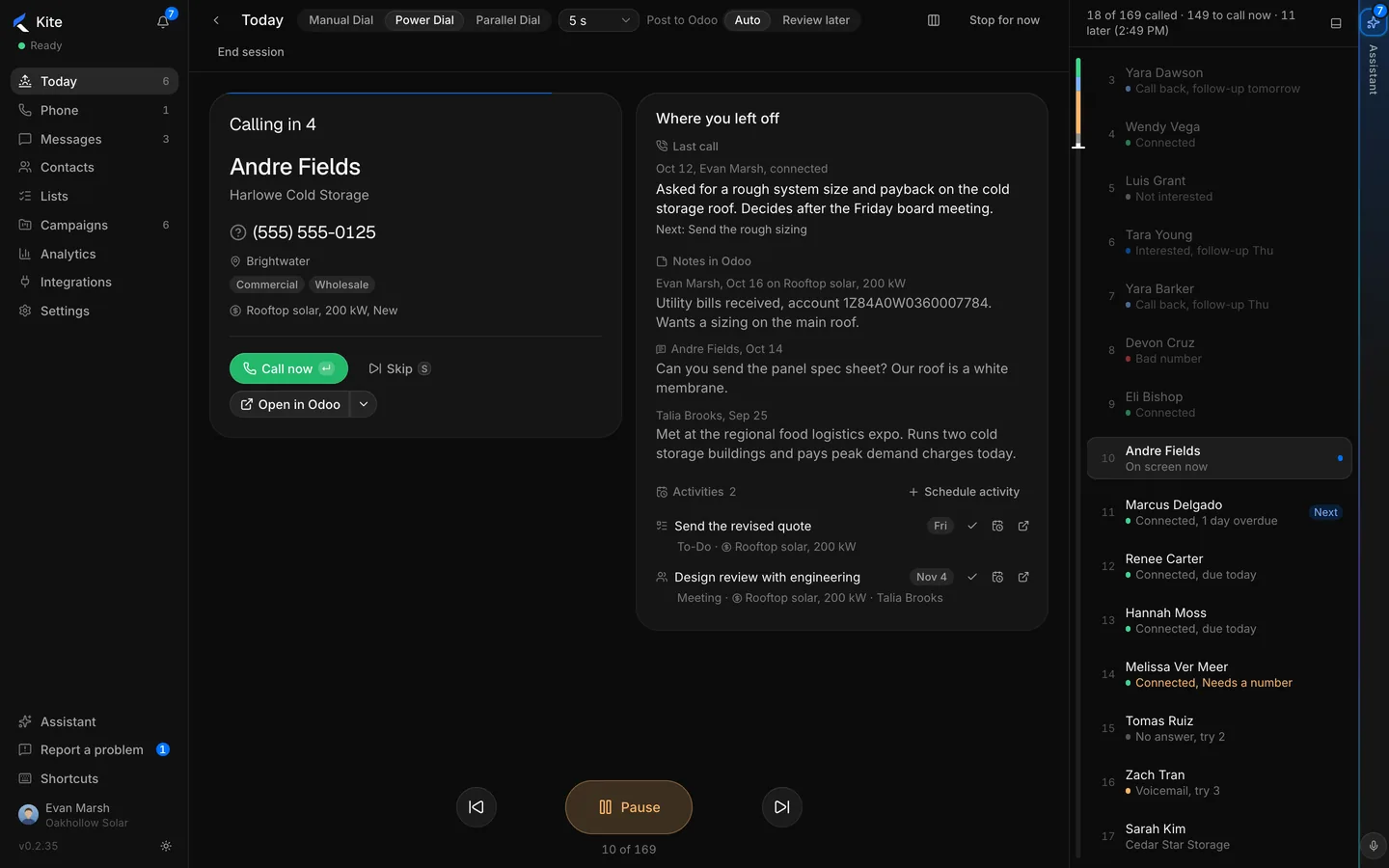
Power Dial moves one call at a time, with the next person already on screen. Parallel Dial rings a batch and connects the first person who answers.

  • First answer wins, the rest hear nothing
  • No connect beep. The rep is already on the line
  • Abandonment measured and capped, per rep, per day
  • Voicemail detected, skipped or dropped

Power Dial

The next call starts as the last one ends. One key drops a voicemail.

Power Dial working through a list

Parallel Dial

Up to five lines. The wrap-up posts to the CRM before the next dial.

Parallel Dial connected to the first person who answered
Kite aims for 1% abandonment on every rep's Parallel Dial session and drops a line when it passes 1.5%. Above the daily limit, the rep moves to Power Dial.

The notes are done when the call ends.

A live transcript runs through every call. The summary, next steps and call fields are waiting at hang-up.

  • Live transcript on every call
  • Summary and next steps, posted to the CRM in one click
  • Call fields filled from the conversation
  • Trackers for what you ask: a pricing objection, a competitor's name, a promised date
A live transcript beside the call controls

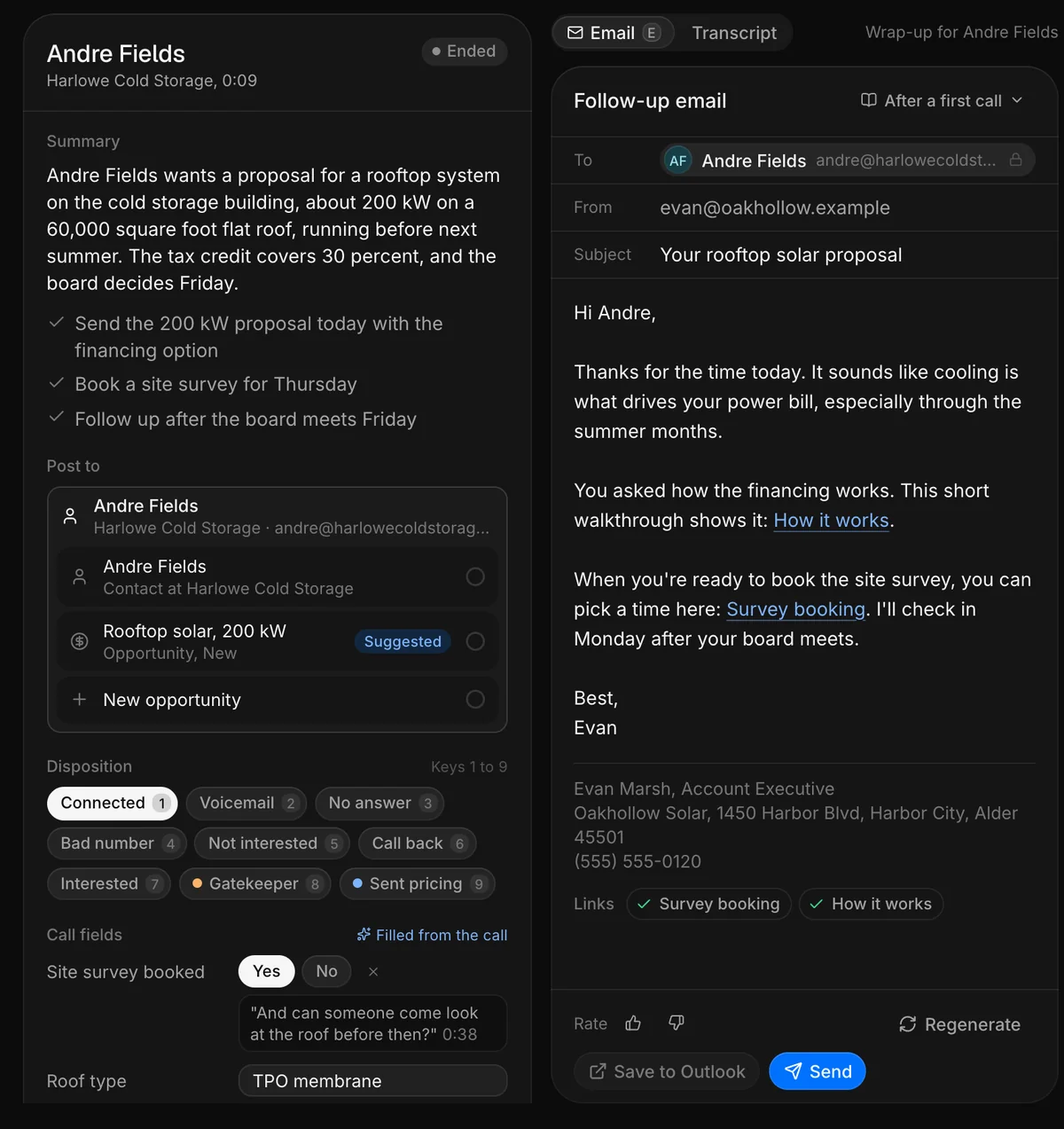
The follow-up is drafted before the rep hangs up.

From the call, Kite writes the email. The rep reads it, edits it, asks for another take or sends it from their own mailbox. Nothing is sent on its own.

  • A draft after every call that needs one
  • Meeting invites from the rep's own calendar
  • Sent from the rep's mailbox, after review
Wrap-up with the summary, disposition and a drafted follow-up email

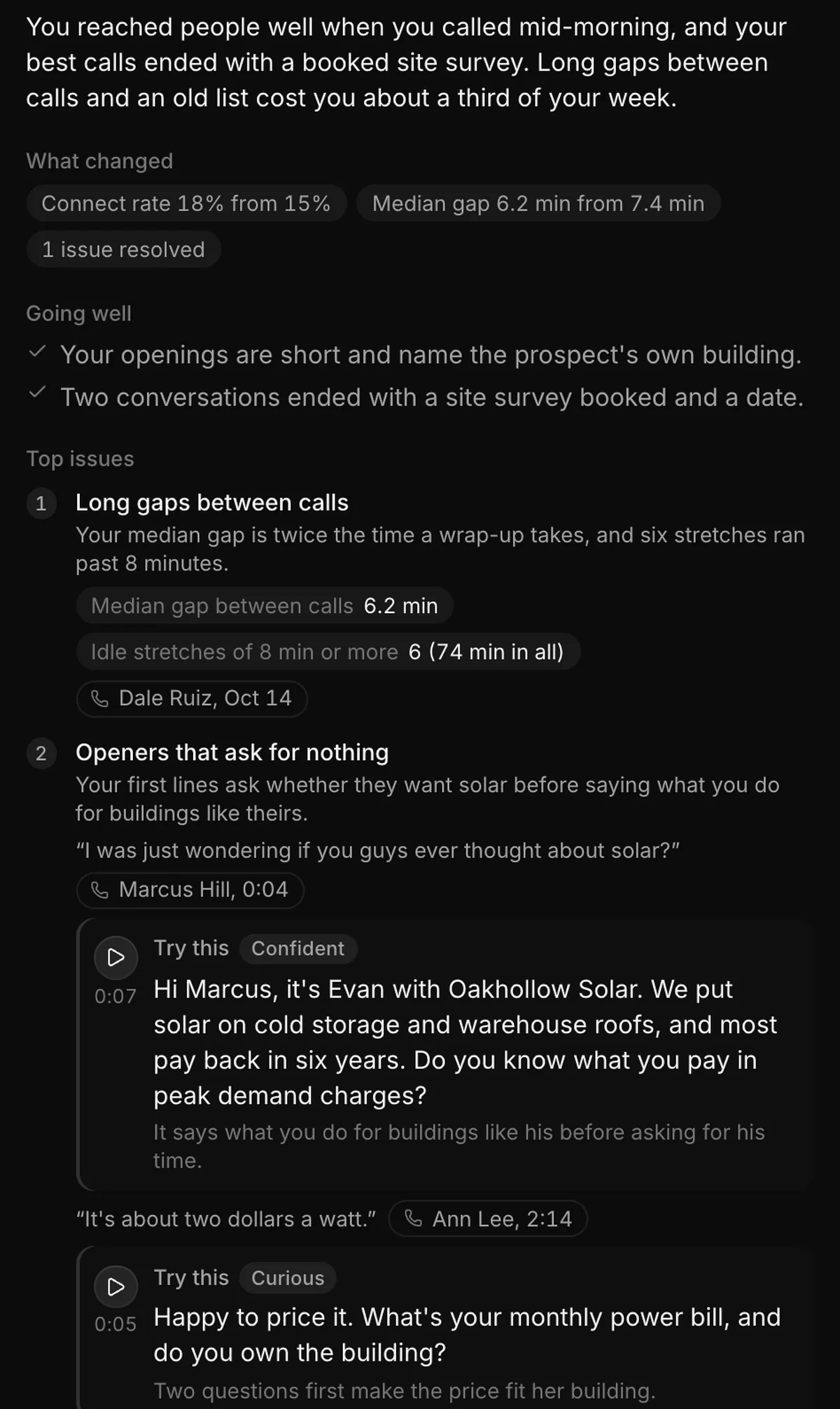
A weekly review for every rep, from their own calls.

What went well, the two or three things to work on, and the calls that show them.

  • "Try this" lines in the rep's own words, spoken aloud so they hear the tone
  • Connect rate, conversations, talk time against last week
  • Best hours to call, from each rep's own connect rate
  • Every review on the team dashboard, one per rep each week
A weekly review: what changed, what went well, top issues and Try this lines
Try this, spoken

Custom dashboards, generated with AI.

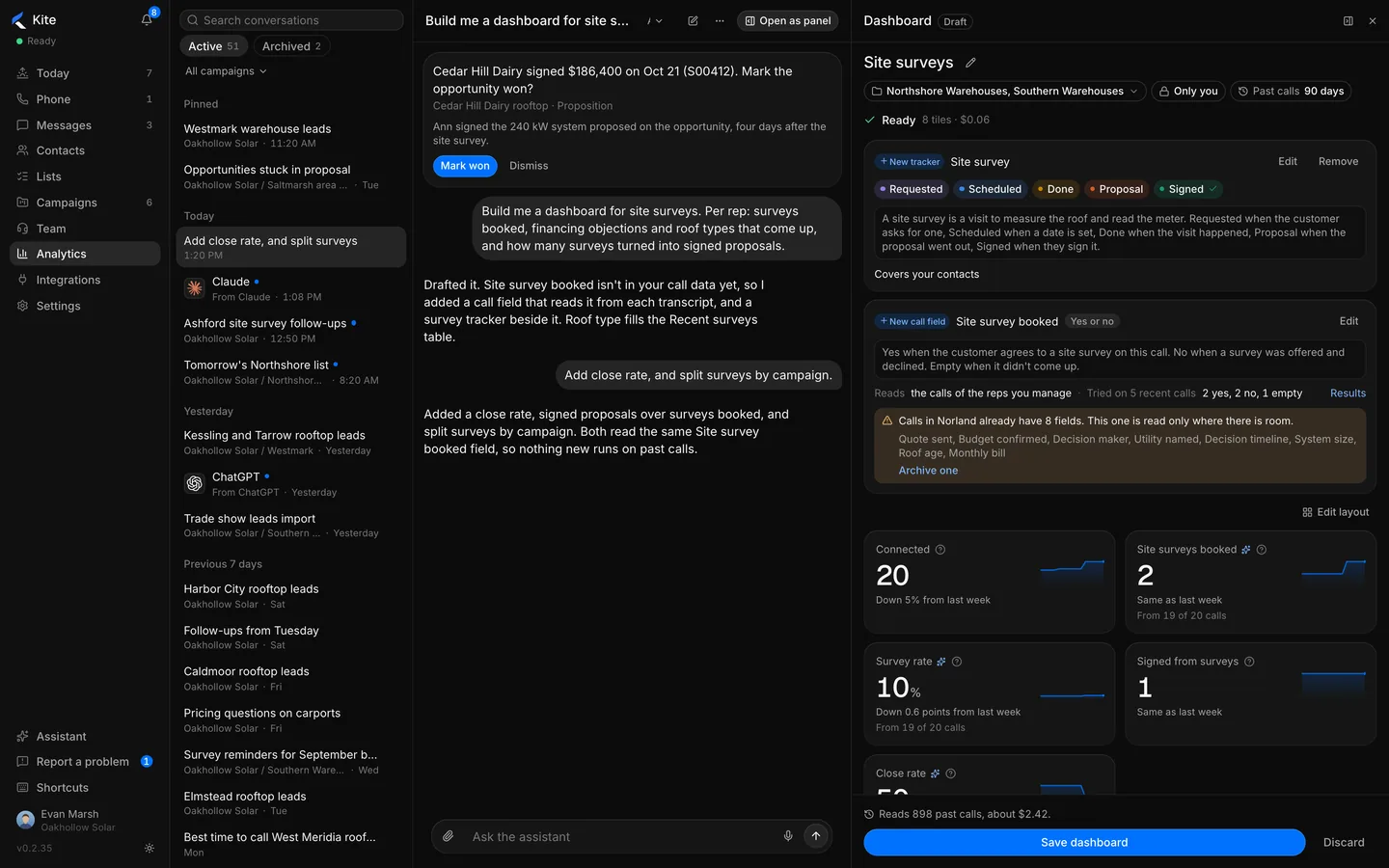
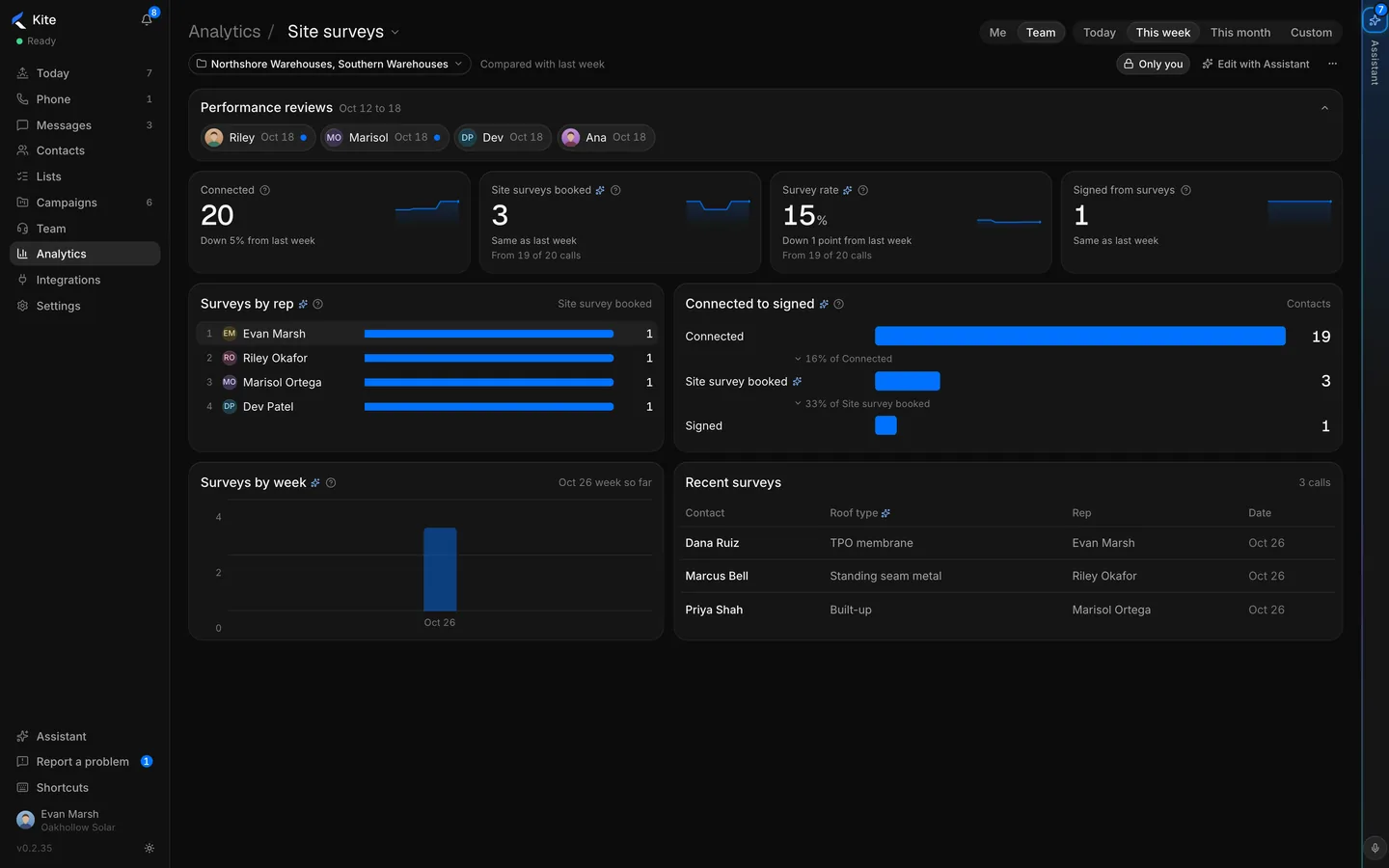
Describe the dashboard. Kite drafts the tiles and the call fields it fills from every conversation.

The Assistant drafting a site survey dashboard and a call field from a request

"Build me a dashboard for site surveys." Kite adds the call field and a tracker, then reads past calls to fill it.

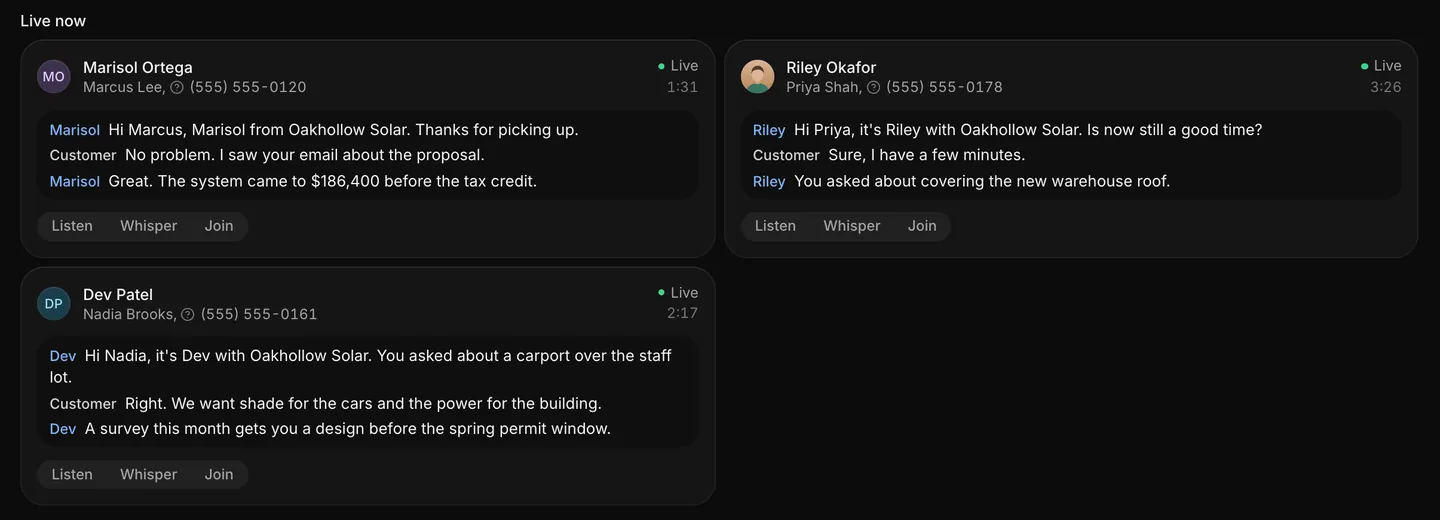
The floor, live.

Every call in progress, with its transcript running. Listen, whisper or join.

Listen, whisper and join

On any live call. Every time is logged.

Live calls with transcripts and Listen, Whisper and Join

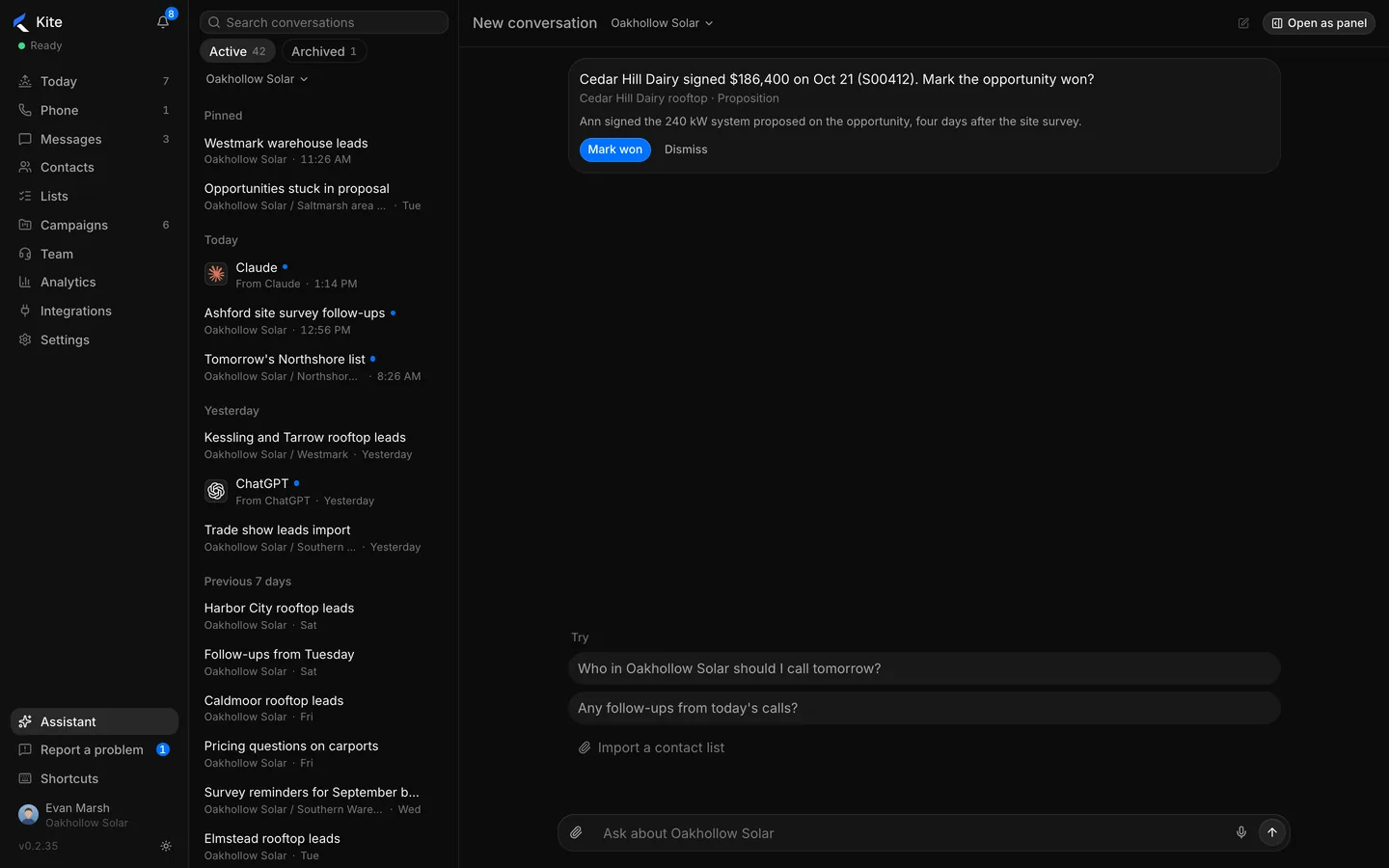
Ask in plain words

The Assistant answers in Kite, Claude or ChatGPT.

The Assistant answering a question about the team's calls

Compared with Nooks, Orum and TitanX.

FeatureKite SalesNooksOrumTitanX
Parallel dialingUp to 5 linesYesYesSingle line
Abandonment rate shown livePer rep, per dayNot publishedNot publishedNot published
Business phone for the rest of the companySame platformNoNoNo

Read from public sites, 2026-11-03.

See it on your own list.

Bring a list. We dial it with you in the demo.