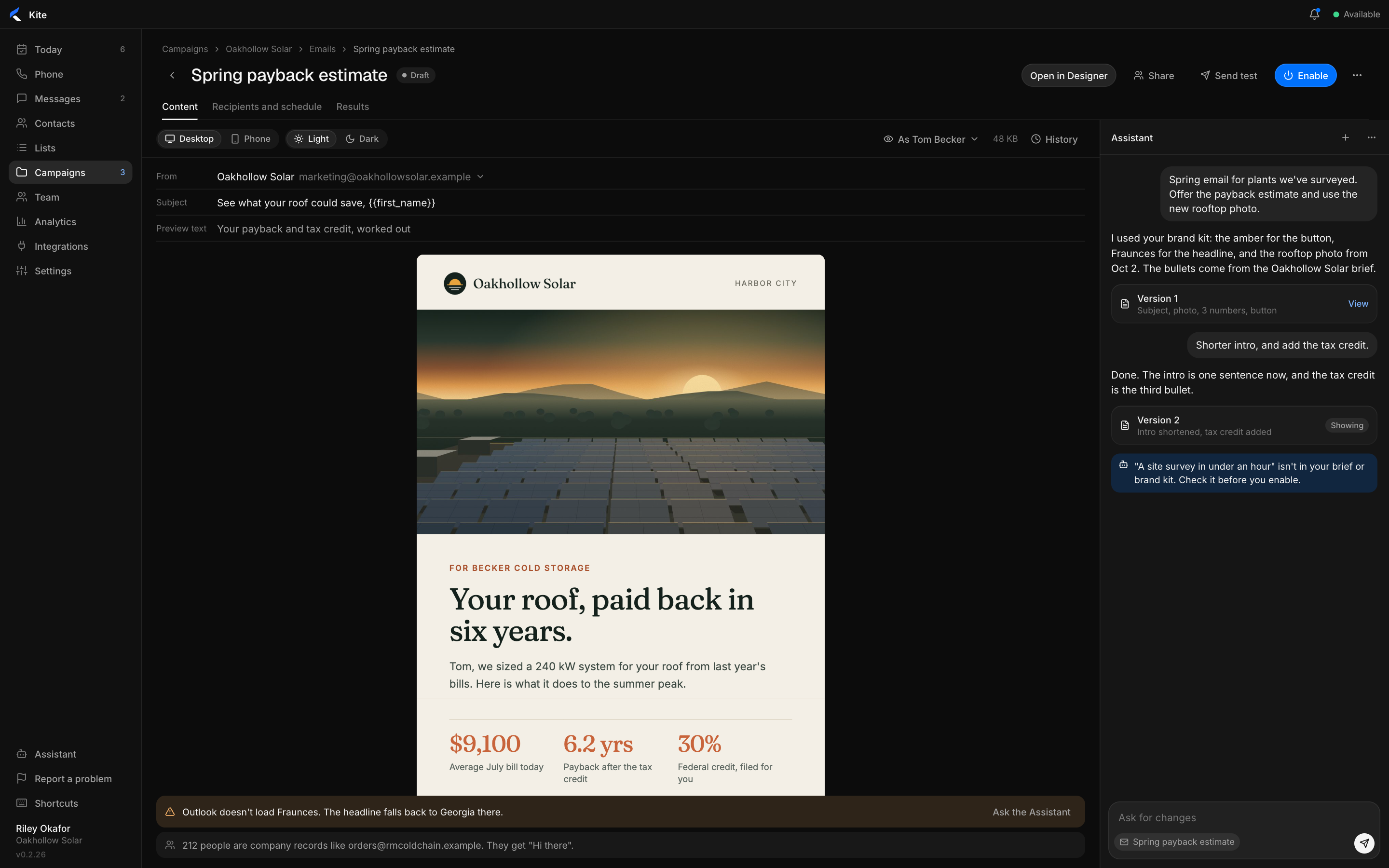
On-brand email, sent from the call.

Designed by AI from your brand. Sent when a call ends.

An email with the Assistant on the right rail
Design drafted from your brand kit

Ask for an email. Get a design.

Describe what you want to send. The Assistant designs it, then changes what you ask.

  • Your logo, colors and photos, already in place.
  • Checks the design for contrast and anything missing.
  • A plain version for people you have not met yet.
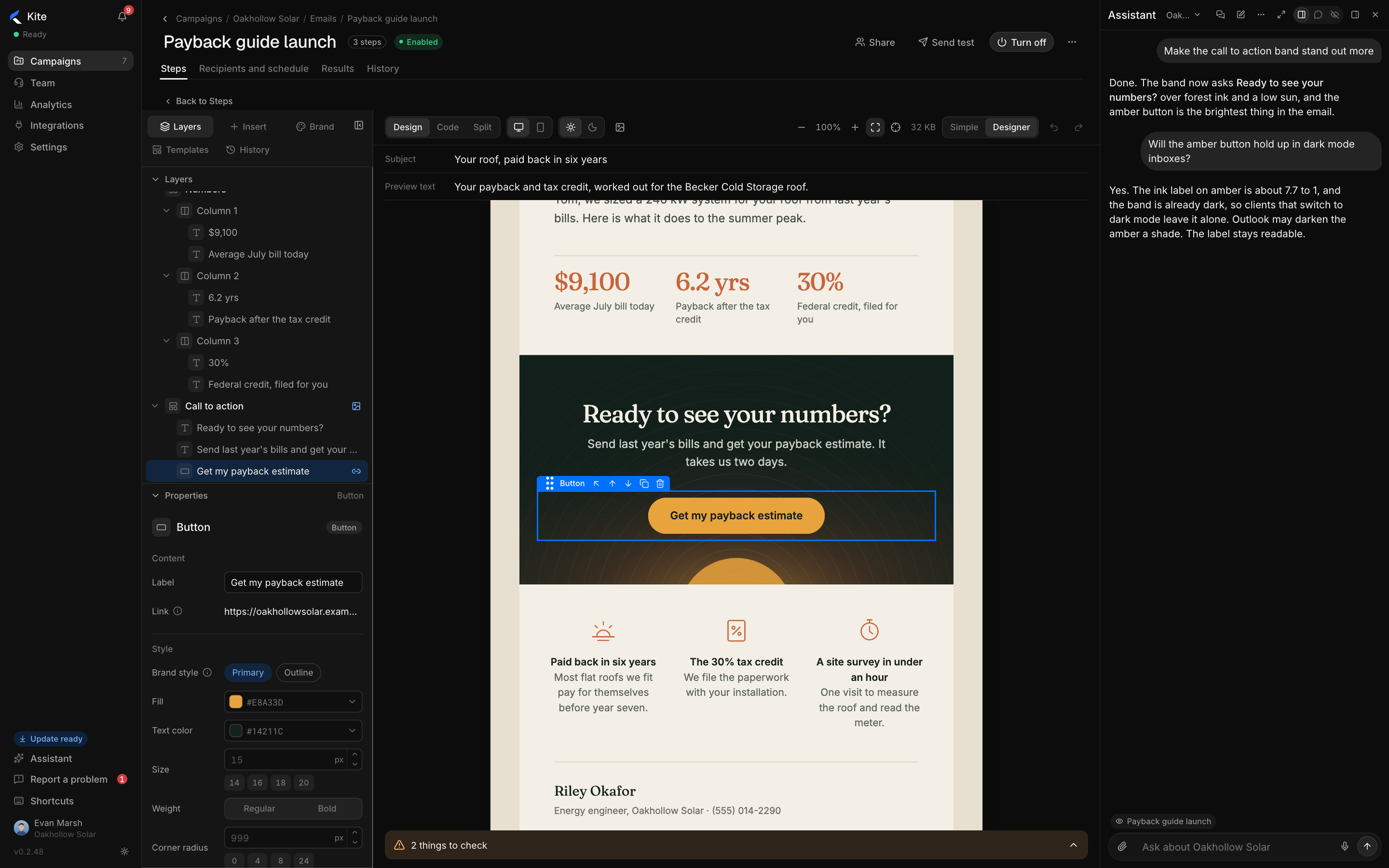
An email with the Assistant on the right, shortening the intro

A full designer for detailed work.

Layers, properties and code, on the same email.

  • Every block editable text, links, colors and spacing.
  • Simple or Designer switch at any time, nothing lost.
  • Code and split views for whoever wants the HTML.
The email designer with layers, the selected button's properties and the Assistant

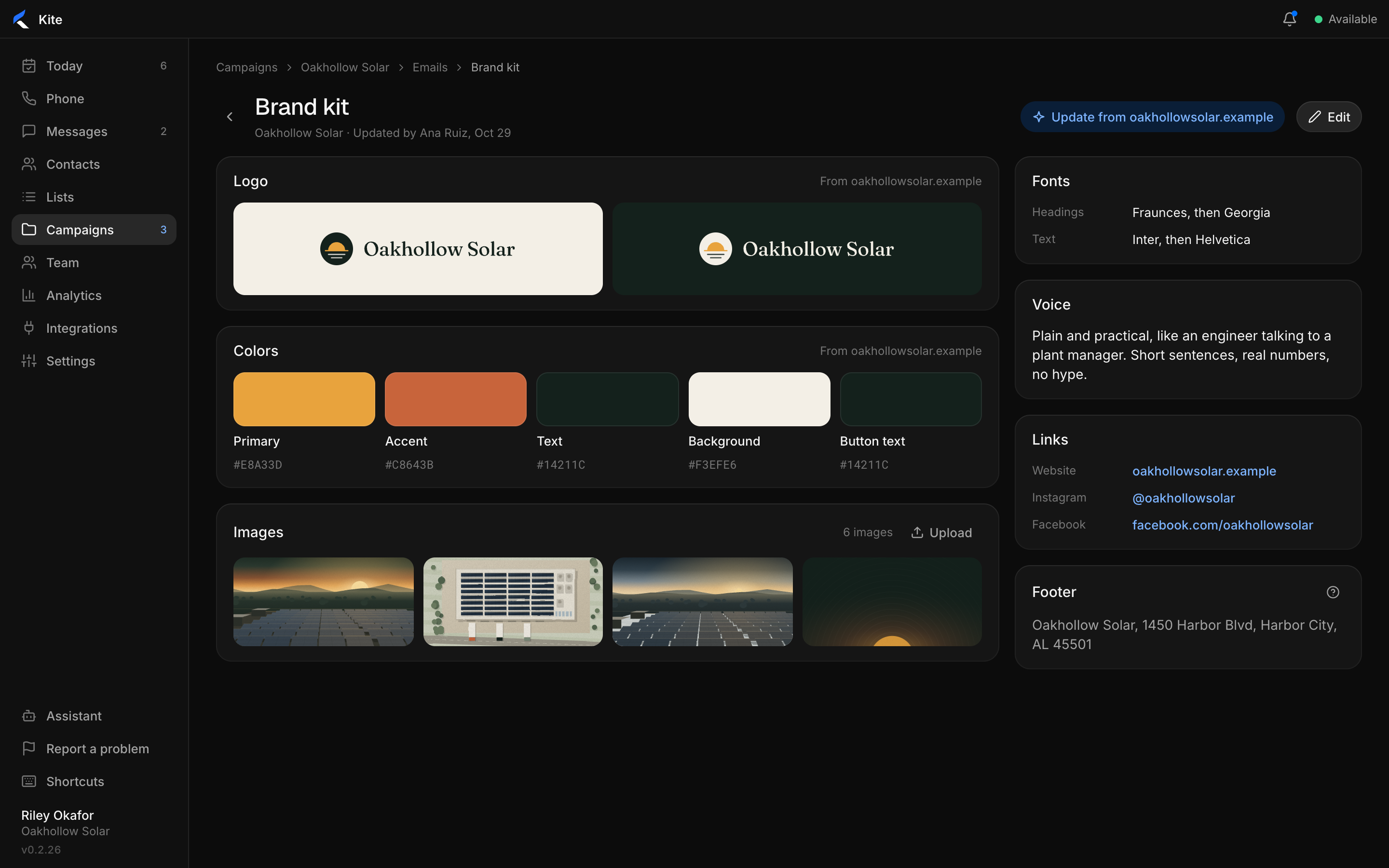
The brand kit comes from your website.

Kite reads your site for the logo, colors, fonts and voice. Change anything.

  • Logos, colors and fonts taken from the site.
  • Your voice, so every email sounds like you.
  • The footer and address every email needs.
The brand kit read from the company website

Your brand kit keeps every email on brand.

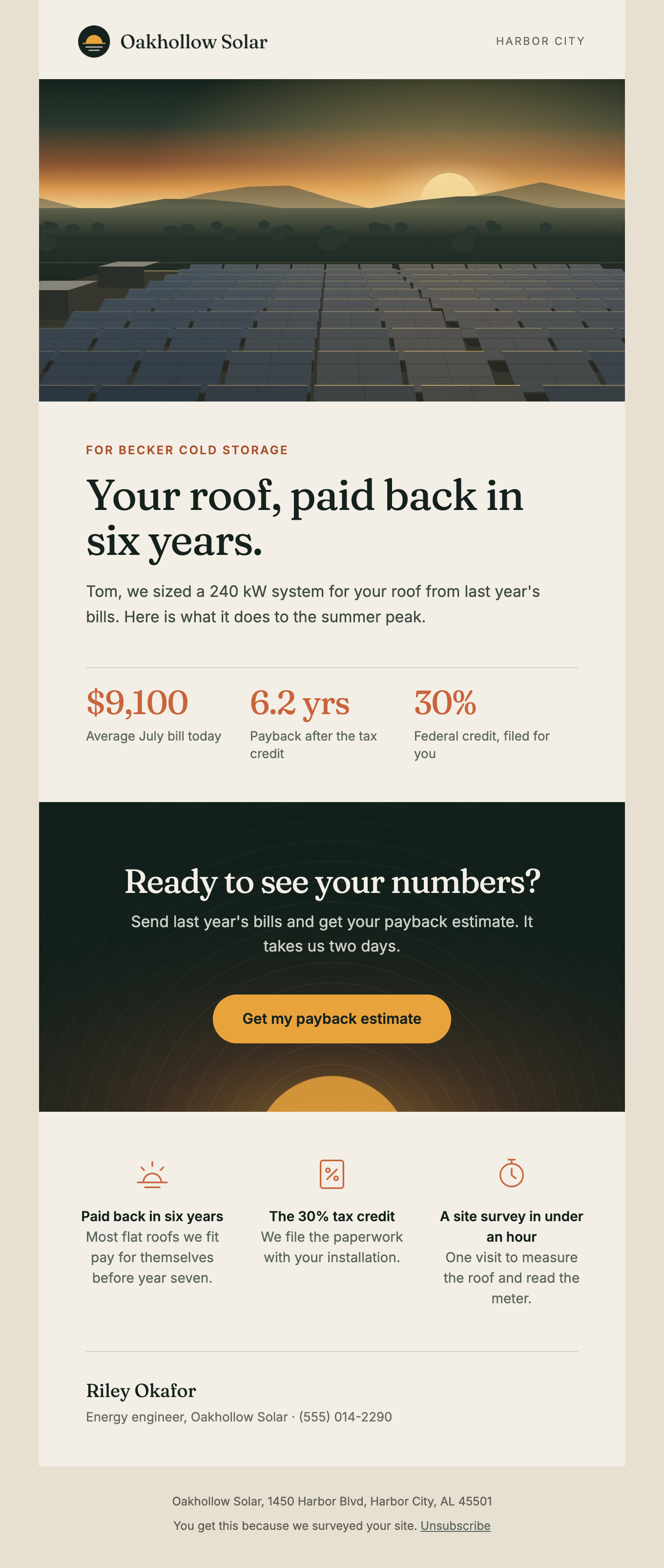
A payback estimate email from a solar company, with a sunset roof photo and three numbers
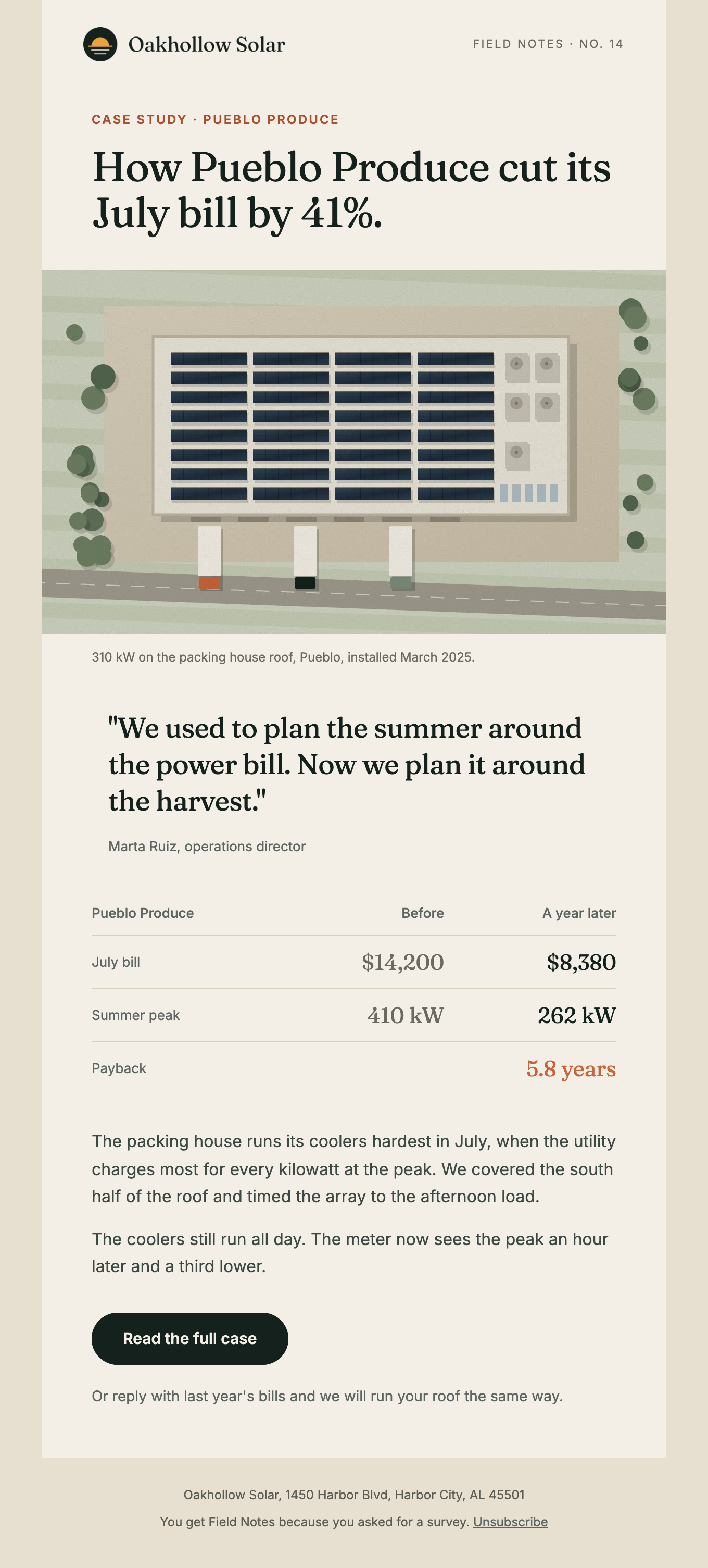
A case study email with an aerial roof photo, a customer quote and a before and after table
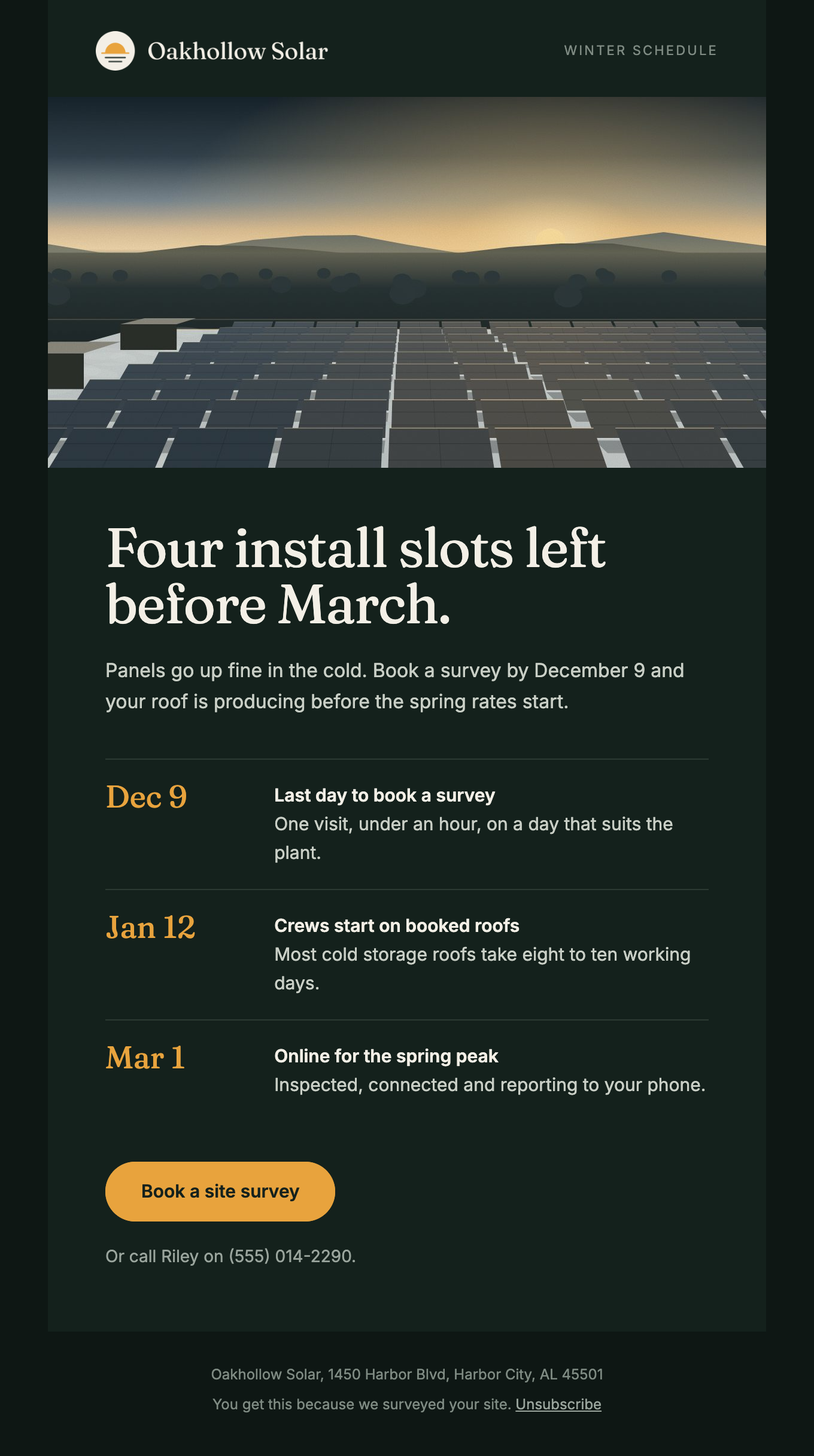
A dark winter schedule email with three dates and an amber button

The right email starts when a call ends.

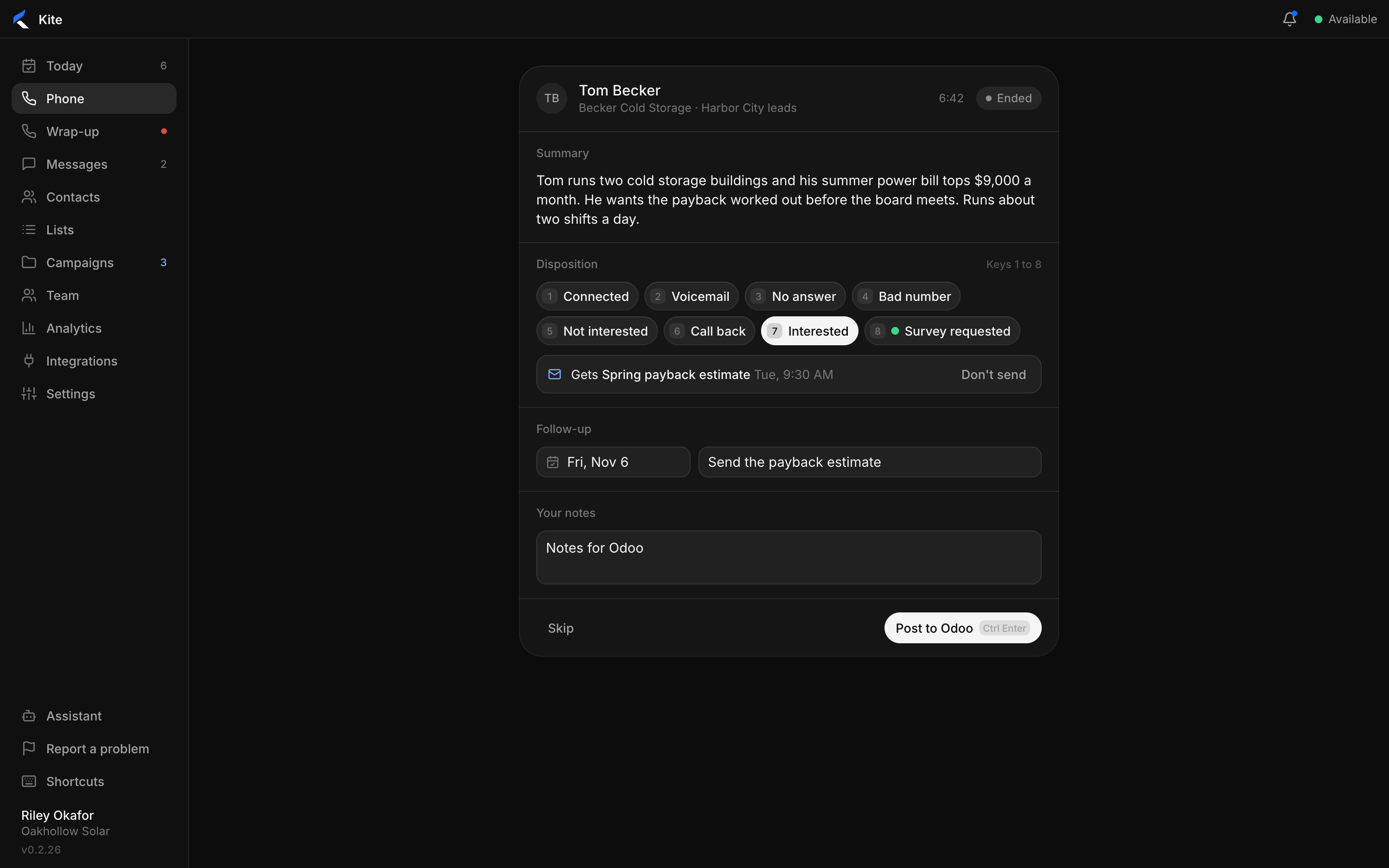
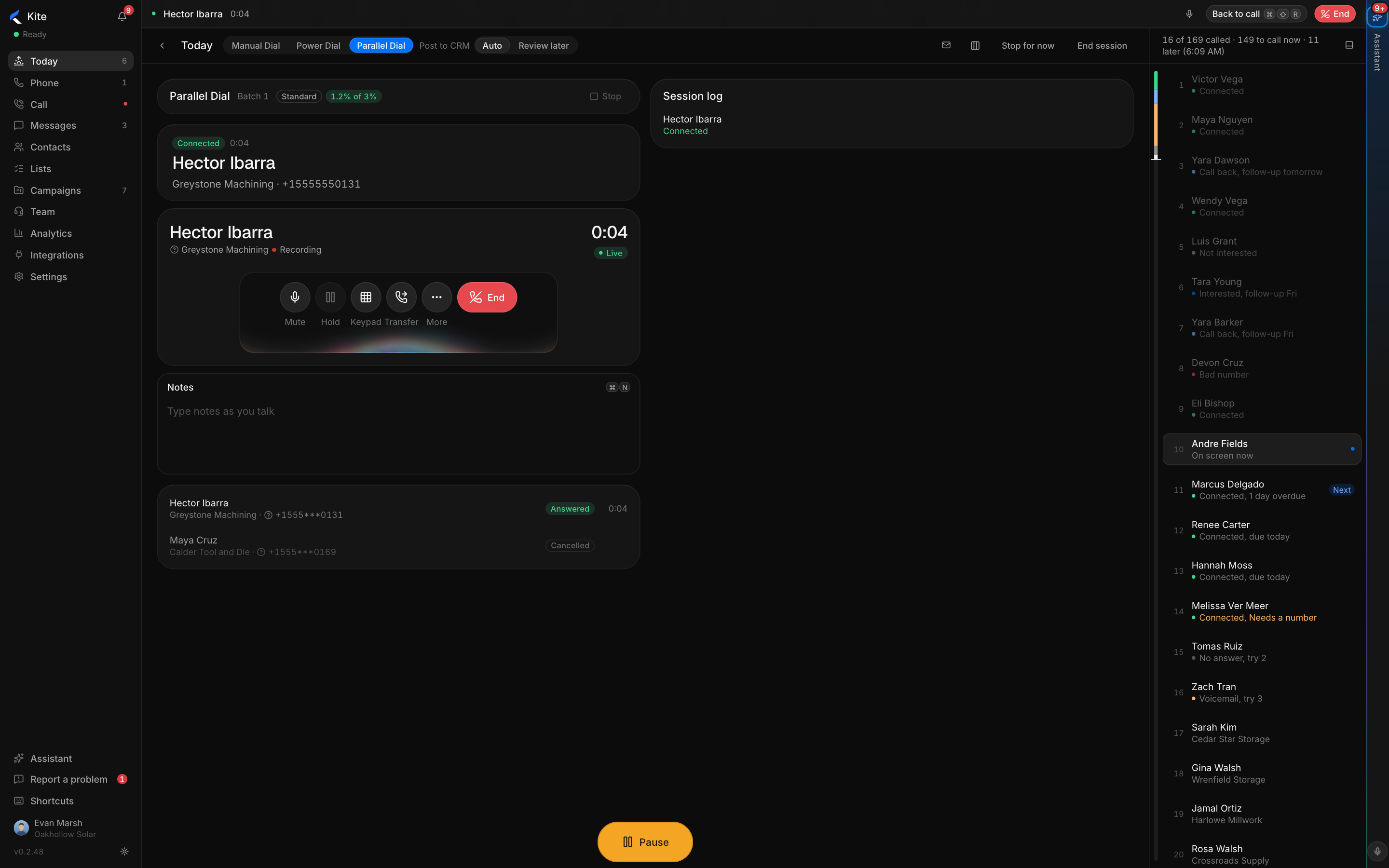
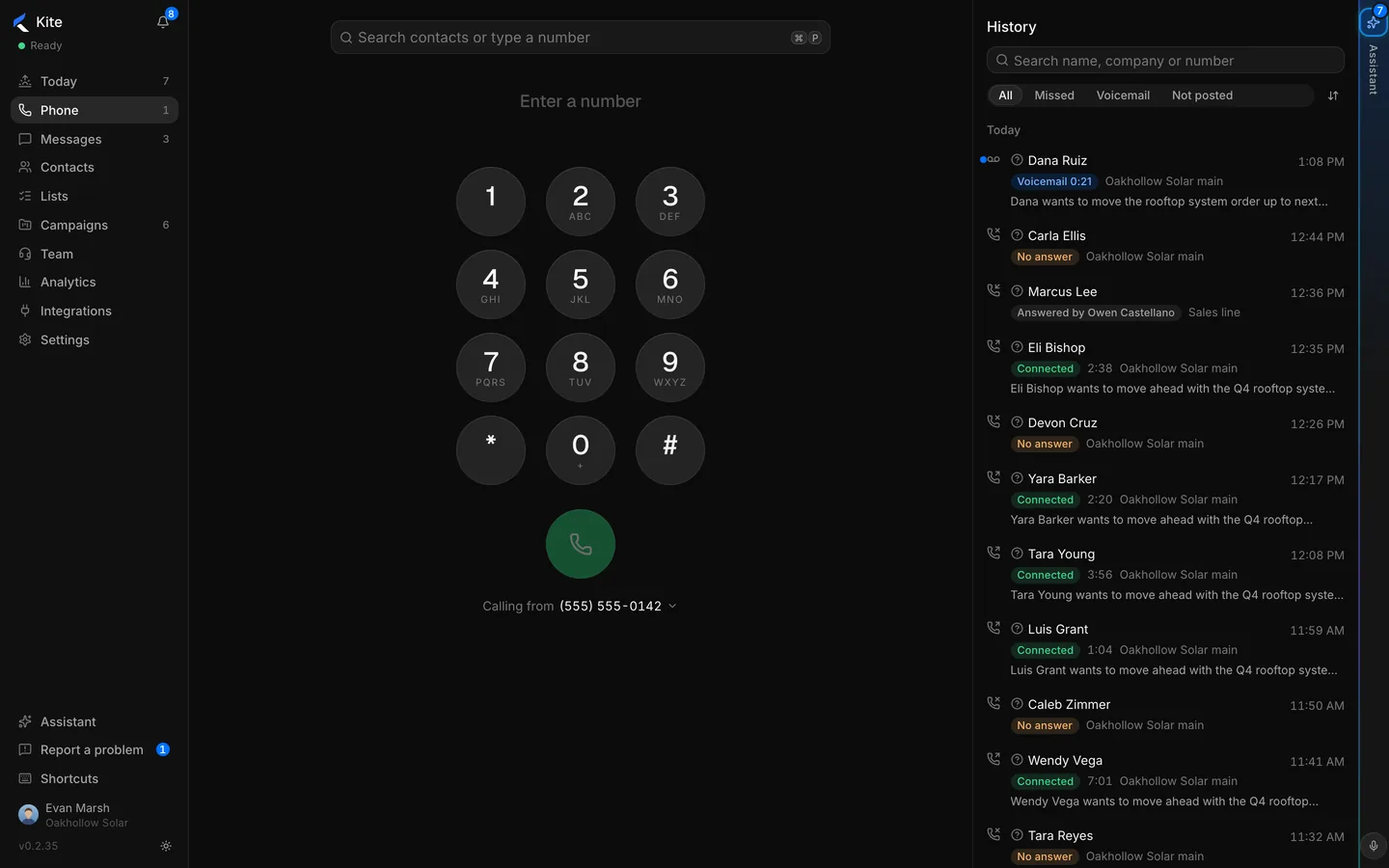
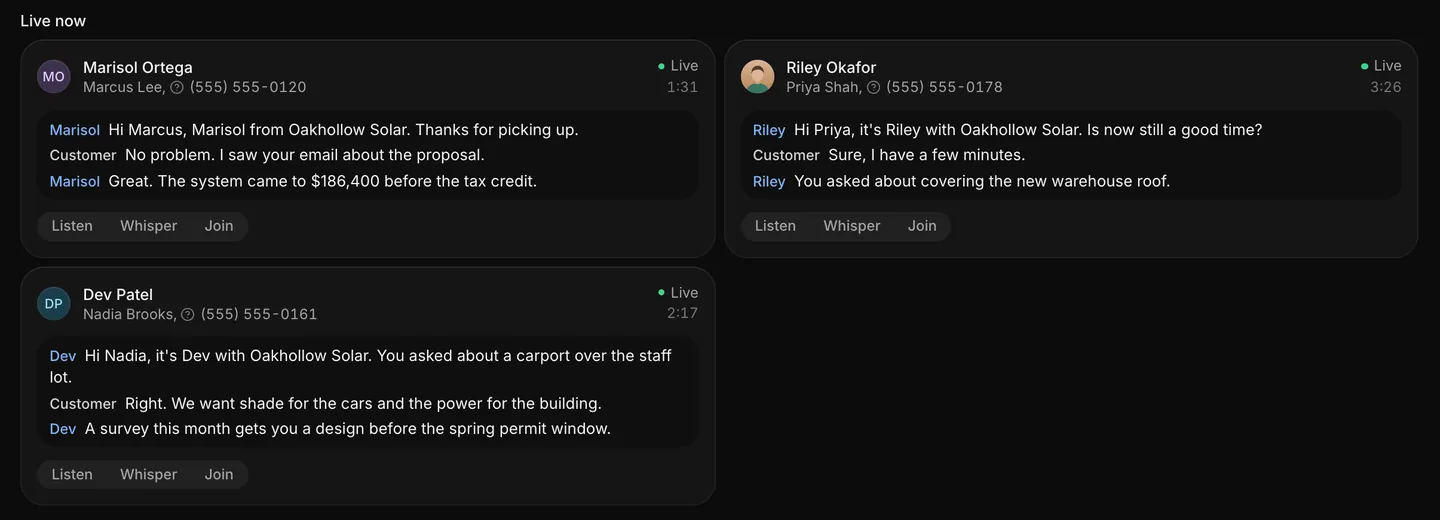
A call ends Interested, and the next step goes out at the right time.

  • Starts from the call result your rep picks.
  • Stops on its own when they reply or book.
  • The rep can skip it before it goes.
A wrap-up where the Interested result queues the payback guide email

Sequences that follow up for you.

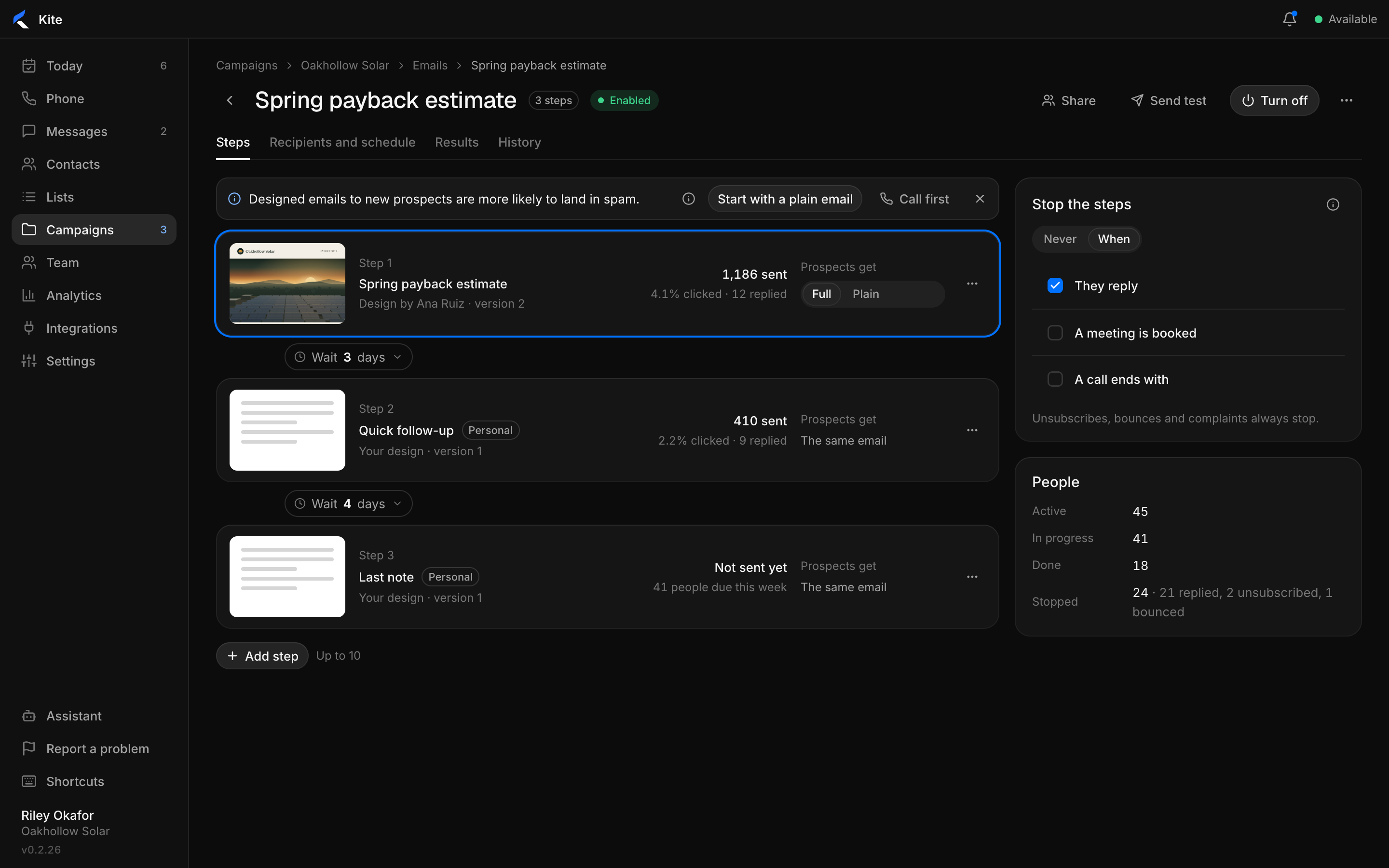
Two or three steps, days apart, sent in each person's own time zone.

  • Steps you can see, with sends, clicks and replies.
  • Each person's own time zone, on the days you pick.
  • Unsubscribes and bounces always stop the sequence.
A three-step sequence with sends and replies per step

Every brand sends as itself.

Company addresses for bulk sends, each rep's mailbox for the people they know.

Send from per brand

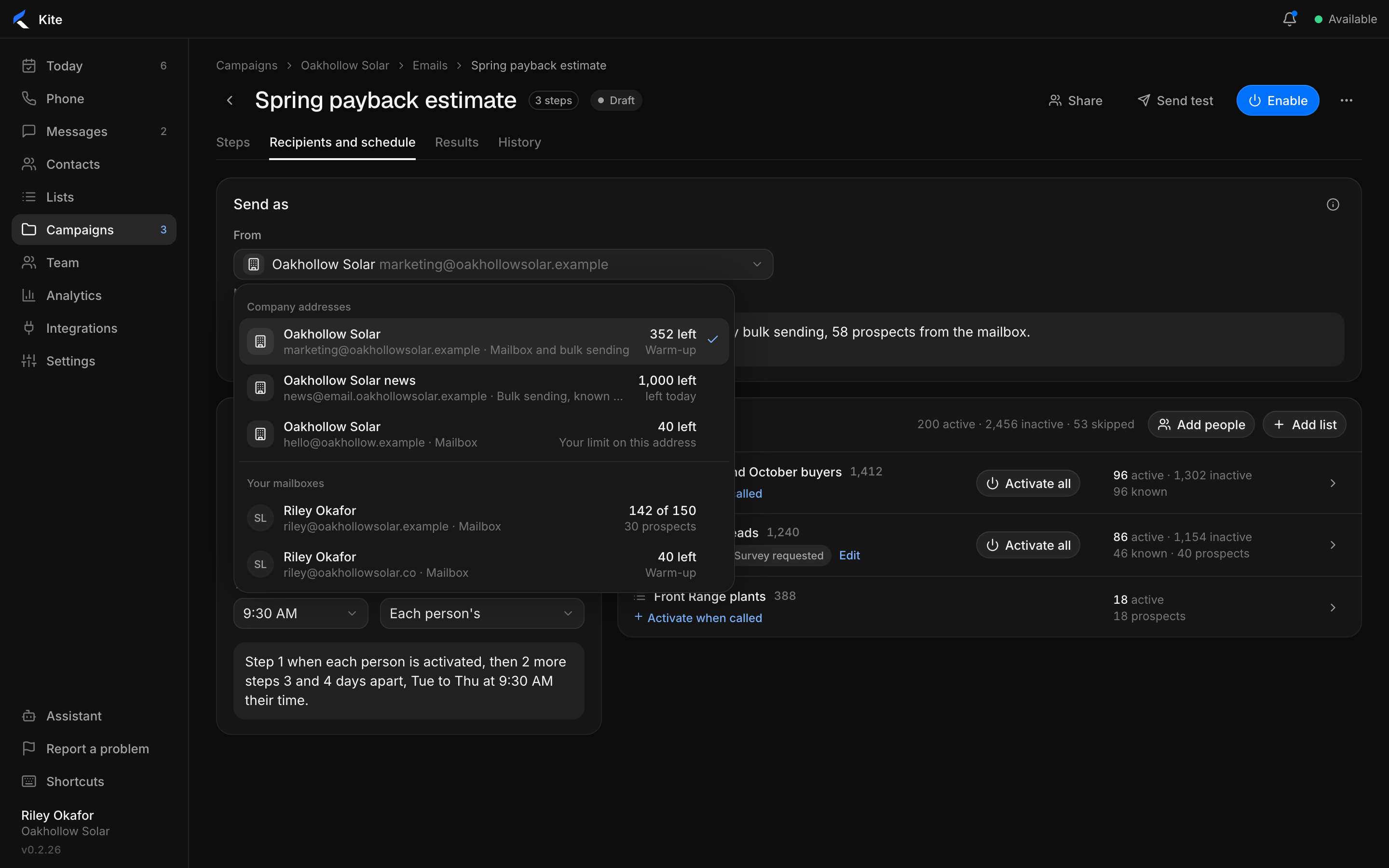
Pick the address for each email. Each brand keeps its own name and domain.

Choosing which address an email is sent from

Mailboxes and domains, healthy

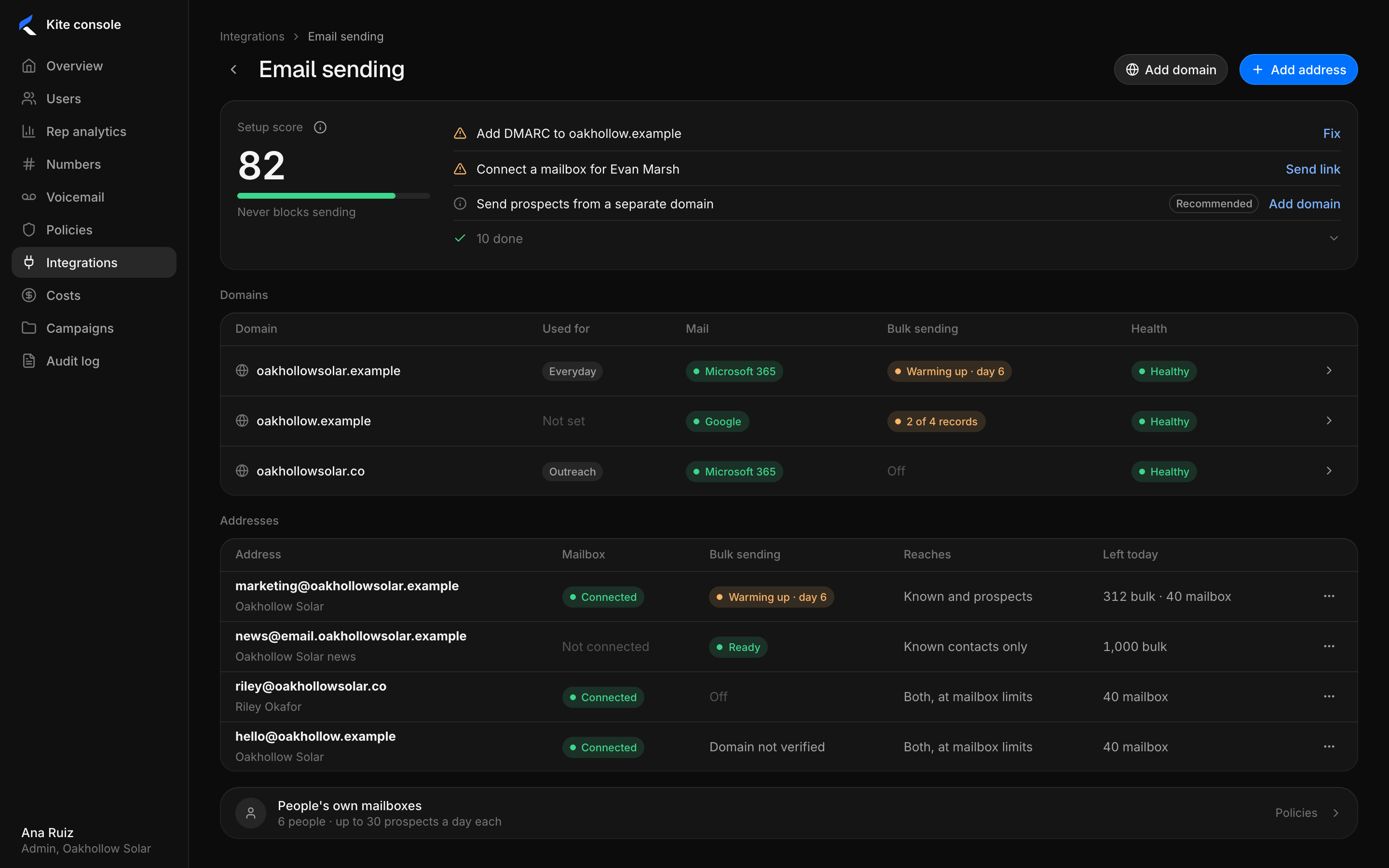
Warm-up, daily limits and deliverability checks for every address.

Domains and sending addresses with their health and daily limits

Your contacts, from your calls.

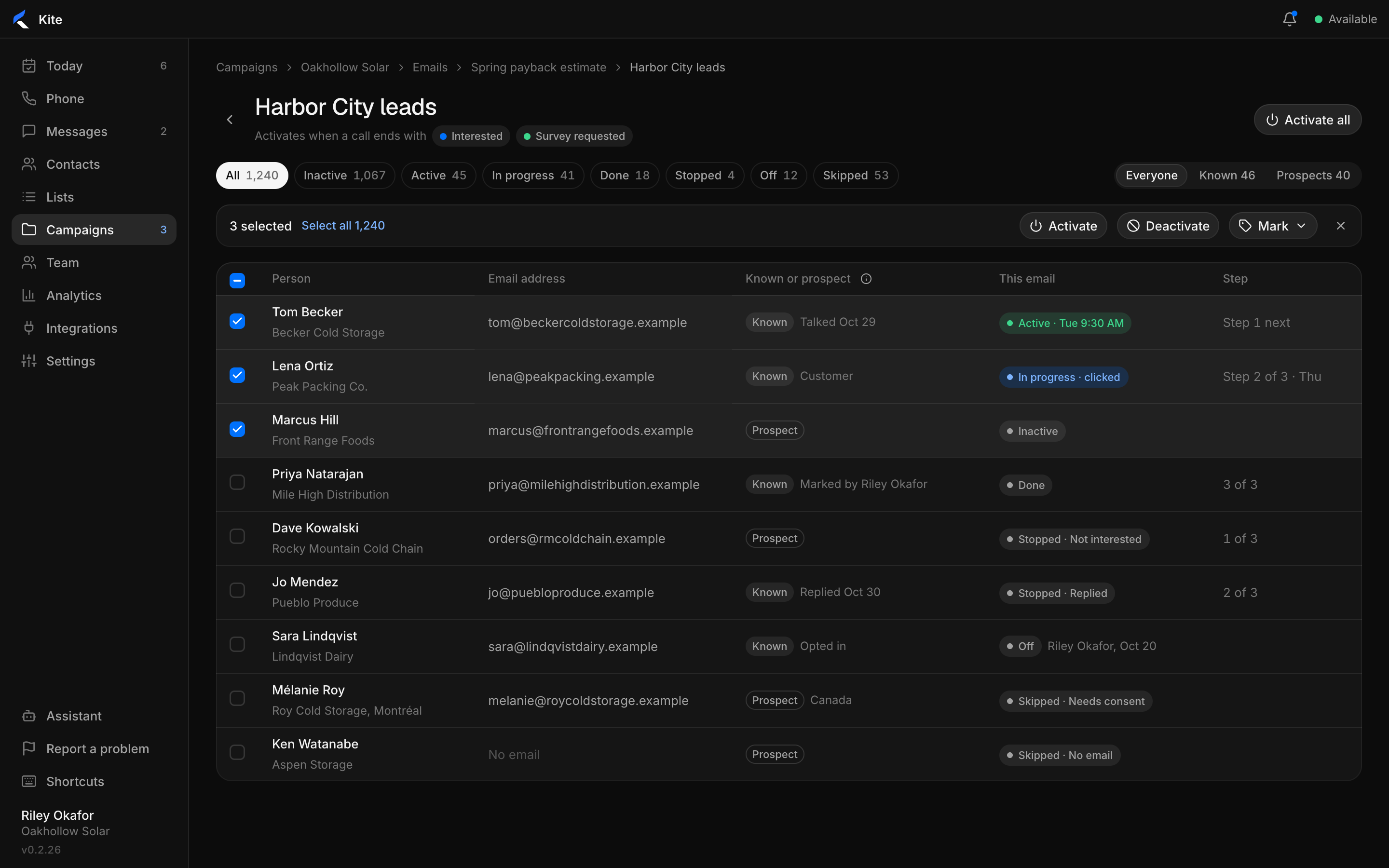
Lists fill from your CRM and your call results. Each person shows where they stand.

  • Known contacts and new prospects, marked apart.
  • Consent respected by country.
  • Activate a list in one click.
A list of contacts with each person's step and status
Starter
2,500contacts
  • AI designer and brand kit
  • 1 marketing user
Growth
10,000contacts
  • Everything in Starter
  • 3 marketing users
Pro
25,000contacts
  • Everything in Growth
  • 5 marketing users, dedicated IP

Reps on Kite Sales Pro and Max send at no extra cost. Compare plans

See your brand in Kite.

Bring your website. We will build your first email with you.